ChatGPT Images 2.6: GIFs and Reference Images
ChatGPT Images 2.6 adds animated GIFs, saved reference images and two faster API models. What is new, what it costs and what OpenAI has not said yet.

On this page
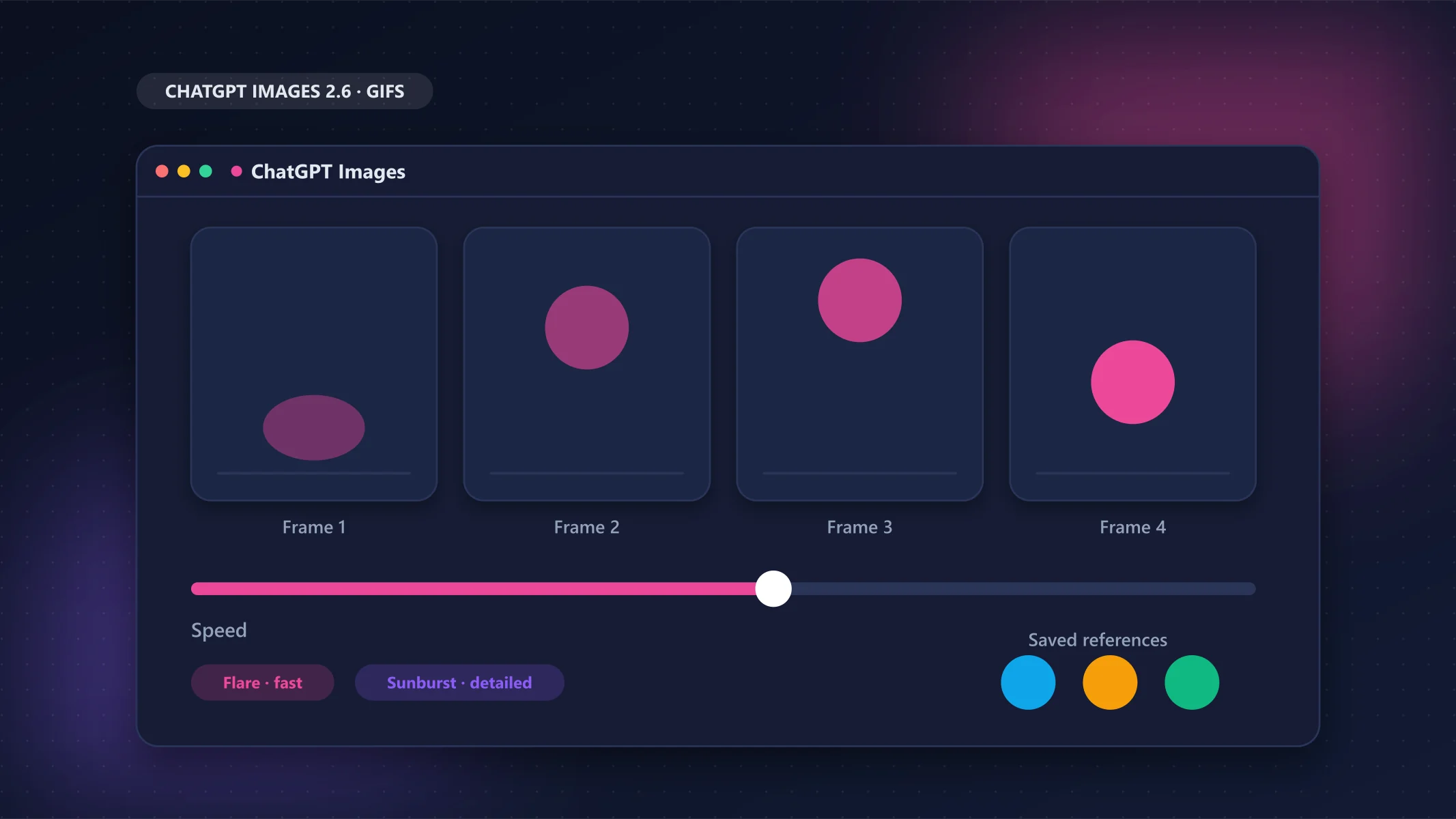
OpenAI released ChatGPT Images 2.6 on 4 November 2026. The headline feature is simple: ChatGPT can now turn a text prompt or one of your images into an animated GIF, and you can keep reference images of yourself, your pet or a character to reuse without uploading them again. Developers also get two new image models, GPT-Image-2.6 Flare and GPT-Image-2.6 Sunburst.
Below is what is confirmed, what it costs, how to use it, and, just as important, what OpenAI has not said yet. Facts come from OpenAI's own pages and from news coverage of the launch, checked on 6 November 2026.
The short version
GIFs: describe a motion or upload an image, then change the speed and edit single frames. Reference images: save people, pets or characters once and reuse them. API: two new models (Flare is faster, Sunburst is more detailed) with the same per-token prices as Images 2.5, plus new options for GIF output, SVG output and drawing on an image to mark an edit.
What is new in ChatGPT Images 2.6
| Feature | What it does | Where |
|---|---|---|
| Animated GIFs | Turn a prompt or an image into a looping GIF; change speed and edit individual frames; share it | ChatGPT, Codex and the API |
| Saved reference images | Keep images of yourself, pets or characters ready to reuse in new creations | ChatGPT |
| Two new API models | gpt-image-2.6-flare (fast iteration) and gpt-image-2.6-sunburst (detailed work) | API |
| Complexity control | A complexity setting (low, medium or high) controls how much the model plans before drawing | API |
| Markup-guided edits | Draw on an image to show where a change should happen, then describe the change | API (and ChatGPT, see note) |
| SVG output | Ask the API for a vector SVG instead of a bitmap | API |
OpenAI's system card says the updated models improve editing consistency, detail preservation and how they respond to sketches and image annotations. Outlets do not agree on whether photo markup is new to ChatGPT itself or only to the API, so treat it as an API addition for now.
How to make a GIF in ChatGPT
OpenAI describes the feature in one line: turn a prompt or an image into an animated GIF, adjust the speed, edit individual frames and share it on repeat. OpenAI has not published step-by-step instructions or a settings screen yet, so the safest way to try it is to ask for what you want in plain language.
Prompts to start from (these are my suggestions, not OpenAI's examples):
- "Make a looping GIF of a paper plane flying across a blue sky, flat illustration style."
- "Turn this photo of my dog into a short GIF where he tilts his head."
- "Create a GIF of a loading spinner for a productivity app, minimal, purple and cyan."
Then ask for changes in the same chat: faster or slower, a different style, or tweaks to a specific frame.
You may not see the GIF maker yet
Most coverage says Images 2.6 reached all ChatGPT users on web, desktop and mobile on 4 November, but one outlet found the GIF maker missing from accounts on launch day, so it may arrive in stages. OpenAI has not said whether Europe is treated differently. If you do not see it, update the app and check again in a day or two.
Reference images: reuse yourself, your pet or a character
With saved reference images you can keep pictures of yourself, your pets and characters and reuse them in new creations without uploading them each time. That is useful for consistent characters, a brand mascot or personalised images.
OpenAI's launch post does not say how many references you can save, where they are stored, how to delete them, or what rules apply to saving photos of other people. Until it does, a few sensible habits:
- Save only images you have the right to use.
- Do not save photos of other people without their consent, especially customers, colleagues or children.
- Do not use someone's likeness to create misleading or compromising images. OpenAI's own safety documents treat fabricated or compromising depictions of real people as a protected category.
Flare vs Sunburst: which API model should you use?
Both models can generate and edit images through the Image API and cost the same per token. The difference is the trade-off between speed and detail.
| GPT-Image-2.6 Flare | GPT-Image-2.6 Sunburst | |
|---|---|---|
| API model ID | gpt-image-2.6-flare | gpt-image-2.6-sunburst |
| OpenAI's description | Fast iteration | Detailed visual work |
| Speed | Images in "as little as six seconds" (on the low-quality setting, per Digital Trends) | Built for quality rather than speed |
| Strength | Quick drafts and layouts | Higher quality and more consistency across edits |
| Good for | Trying ideas, many variations | Final images and repeated edits of the same picture |
Both models support complexity control, markup-guided edits, SVG output and animated GIF output through the Image API, according to OpenAI's developer guide. OpenAI says the new models are about 50% faster, but outlets disagree on what that is measured against, so do not rely on the number until you time your own prompts.
The complexity setting. OpenAI's guide says it controls how much the model plans before rendering, with low, medium and high. If you leave it out, both models use high. Adjusting it has no separate fee, but higher complexity can increase waiting time and introduce unwanted changes, so compare results for your own task.
What does Images 2.6 cost?
In ChatGPT, image limits depend on your plan: the free plan has limited image creation, and paid plans get more. Check OpenAI's pricing page for the current limits.
In the API, both 2.6 models are priced per million tokens, and the prices match the earlier Images 2.5 models:
| Token type (Standard) | Price per 1M tokens |
|---|---|
| Text input | $5.00 |
| Text cached input | $1.25 |
| Image input | $8.00 |
| Image cached input | $2.00 |
| Image output | $30.00 |
OpenAI does not list a price per image; it points to a calculator in its image guide. The 2.6 models do not appear in the Batch pricing table yet.
Why your bill may go up at low and medium quality
The per-token price did not change, but how many tokens an image uses can. Early community tests and one third-party analysis report that Images 2.6 uses noticeably more output tokens than 2.5 at low and medium quality, and about the same at high quality. OpenAI has not confirmed this. The table shows the third-party estimates for a 1024×1024 image (the arithmetic matches $30 per million tokens, but I have not checked them against OpenAI's calculator):
| Quality | Images 2.5 (estimate) | Images 2.6 (estimate) |
|---|---|---|
| Low | about $0.006 | about $0.025 |
| Medium | about $0.013 | about $0.043 |
| High | about $0.053 | about $0.053 |
If you generate a lot of images through the API, run a small batch of your real prompts at each quality level before switching from 2.5.
Safety, watermarks and real people
OpenAI's system card says images generated through ChatGPT, Codex and the API carry C2PA provenance metadata and Google DeepMind SynthID watermarking. GIFs have their own safeguards: the card says GIF-specific rules block some content categories more broadly than still images, and admits that motion-related violations are hard to detect and the safeguards may not catch everything. OpenAI has not said whether GIFs are watermarked in a different way from still images.
If you publish AI-generated images or GIFs in Europe, the EU's AI transparency rules that started applying on 2 August 2026 may affect you. We explain them in plain English in our EU AI Act deadlines guide.
What OpenAI has not said yet
- How long a GIF can be, how many frames it can have, and how many GIFs each plan allows.
- How many reference images you can save, where they are stored, how to delete them and what consent rules apply.
- A full plan-by-plan availability list for Business, Enterprise and Edu.
- A price per image, and what the "50% faster" claim is measured against.
We will update this article when OpenAI publishes these details.
Should you care?
- Social and content creators: GIFs from a prompt can save time, but check the result frame by frame before posting.
- Designers and developers: SVG output, markup edits and the
complexitysetting are the interesting API additions. Test cost at your usual quality level first. - Anyone using photos of real people: go slowly with saved references until OpenAI publishes its controls.
- Just curious: it is available in ChatGPT, and the free plan has limited image creation, so you can try a GIF before deciding whether to upgrade.
Wondering how ChatGPT compares with other assistants? See our ChatGPT vs Claude vs Gemini comparison and our guide to GPT-6 in ChatGPT.
FAQ
Is ChatGPT Images 2.6 free?
Reports say it is available on every ChatGPT plan, including Free, but the free plan has limited image creation. Paid plans get more. The GIF maker may reach your account in stages.
How do I make a GIF with ChatGPT?
Describe the animation you want, or upload an image and ask for it as a GIF, then adjust the speed and edit individual frames. OpenAI has not published a step-by-step guide or limits for GIFs yet.
What are GPT-Image-2.6 Flare and Sunburst?
They are the two new image models in the OpenAI API. Flare is built for fast iteration and Sunburst for detailed visual work and consistency across edits. Both cost $30 per million image output tokens.
How much does gpt-image-2.6 cost?
Image output is $30 per million tokens, image input is $8 and text input is $5 (Standard pricing). OpenAI does not list a price per image, and early reports say low and medium quality use more tokens than Images 2.5.
Can I save a photo of myself as a reference image?
Yes, OpenAI says you can keep reference images of yourself, pets and characters to reuse. OpenAI has not published the number of references you can save, where they are stored or how to delete them, so avoid saving photos of other people without their consent.
Is Images 2.6 available in Europe?
No article I found names a country where it is unavailable, and OpenAI has not said whether Europe is treated differently. If you do not see the GIF maker, it may be a staged rollout.
Sources
- Images, upgraded: introducing ChatGPT Images 2.6 (OpenAI Developer Community announcement)
- OpenAI on X: GIFs with ChatGPT Images 2.6
- GPT-Image-2.6 Flare model page and Sunburst model page (OpenAI)
- OpenAI API pricing (OpenAI)
- Image generation guide (OpenAI)
- ChatGPT Images 2.6 system card (OpenAI)
- ChatGPT can now turn your images into GIFs (Digital Trends)
- ChatGPT Images 2.6 by OpenAI: GIFs and reference images (DataNorth)
- OpenAI ships ChatGPT Images 2.6 with GIFs and faster API models (AI Weekly)
- ChatGPT Images 2.6: GIFs, API models and real per-image cost (eesel AI, source of the per-image estimates)
How this was researched
This article is based on official documentation, pricing pages and the other sources listed in the article. It does not include my own hands-on testing. I update articles when pricing or features change. Read my review process.
About the author
Sameera Jayakodi
Software engineer and founder of TechToolHub
I'm Sameera Jayakodi, a software engineer based in Sri Lanka. I use AI, developer and productivity tools in my own work every day, and I started TechToolHub to give clear, honest comparisons without the hype. Every article is researched from official sources, and the ones marked "Hands-on tested" include my own testing.
Related articles
GPT-6 in ChatGPT: What’s New and Which Plan Gets What
GPT-6 makes ChatGPT answers more visual and interactive on every plan; Plus remains the sweet spot for most people.
Mistral Vibe vs ChatGPT: Best AI Assistant for Europe?
ChatGPT is still the more capable all-rounder, but Mistral Vibe is cheaper, ad-free and keeps your data in the EU by default.
ChatGPT Ads: How They Work and How to Turn Them Off
You can’t switch ads off completely on Go, but Free users can trade messages for an ad-free plan and everyone can turn off ad personalization.